
Directions
Phil’s Computer Repository is located in Sunin Plaza in the heart of Yongsan Electronic Market in Seoul. Sunin Plaza is the largest building in the country for computer-related businesses filled with hundreds of stores. Because we know how confusing it can be and how annoying it is to get lost, we provide you with a step-by-step photo guide + video how to get safely to Phil’s Computer Repository in the most efficient way from Yongsan and Sinyongsan station along with how to navigate the building.
Seoul, Yongsan-gu, Hangangro-2ga 16-1 Sunin Plaza Building 21 3rd F. #242
서울특별시 용산구 한강로2가 16-1 선인상가 21동 3층 242호
Open in Google Maps ↗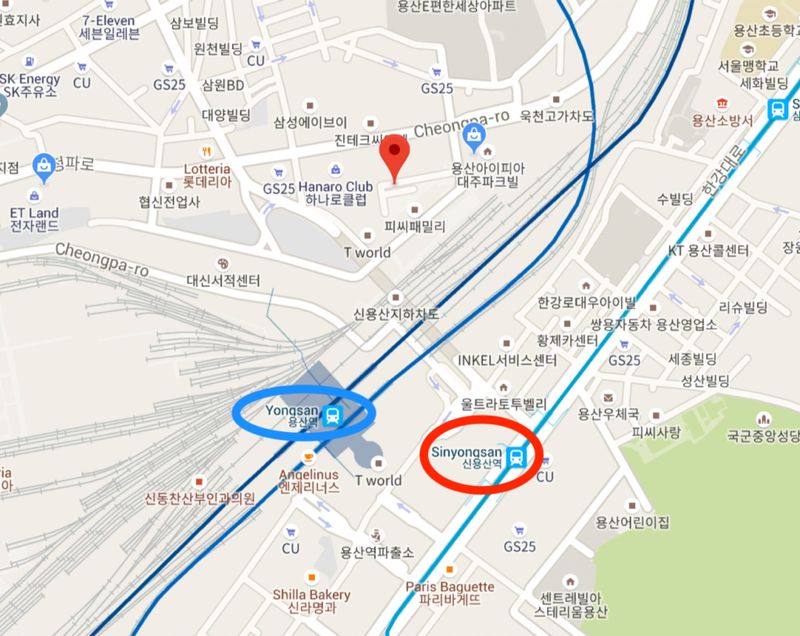
How to get to Sunin Plaza from Yongsan station
The easiest way to reach Phil’s Computer Repository is from Yongsan or Sinyongsan station. Both are approximately 10 minutes walking distance. Yongsan Station is a large transportation hub where you can arrive by subway, bus and also trains such as the KTX and ITX. It is also very convenient if arriving from outside of Seoul.
- 01
From Yongsan Station, look for signs that lead you to Exit 3, and you will arrive in the station hall where shops, lockers and train ticket machines are located. look for ‘Exit 3’.
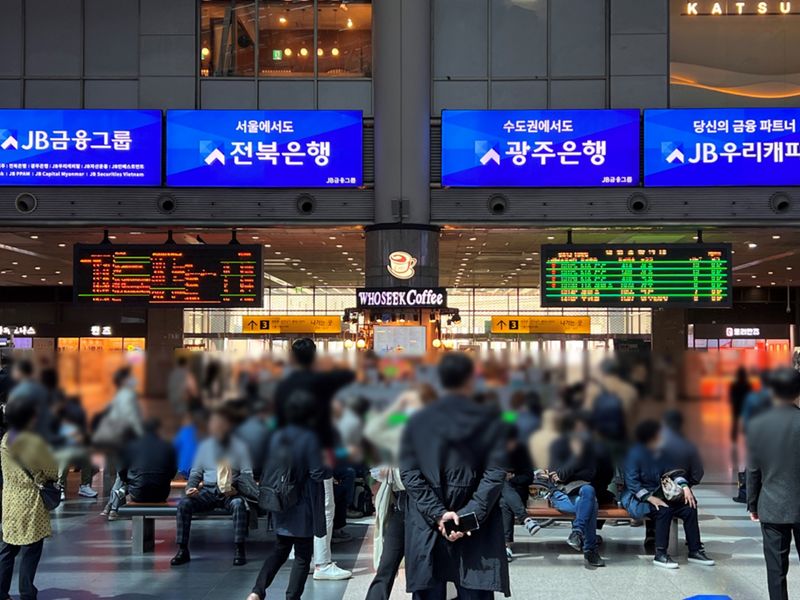
- 02
Once you arrive at EXIT 3 you will see two doors. Pass those doors and you will see the beginning of the overpass with a sign on the side that says Yongsan Electronics Market. Follow that sign and enter the overpass.
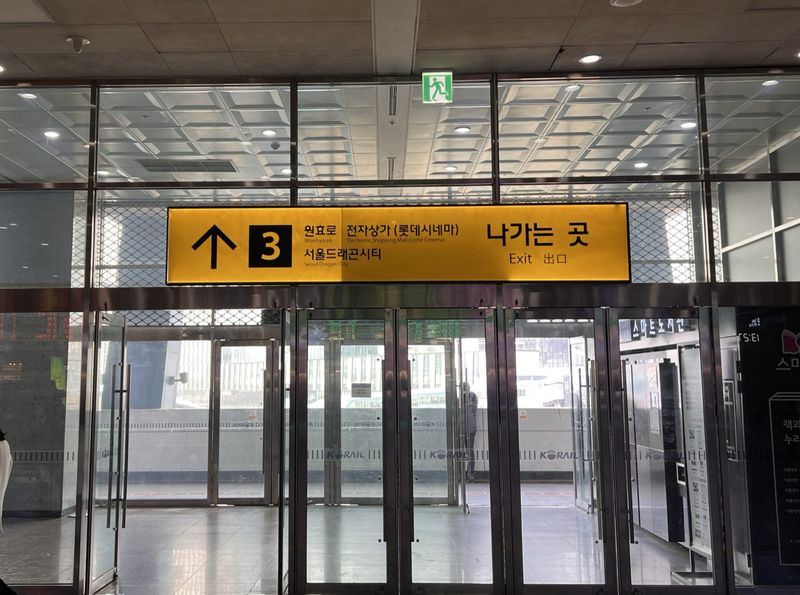
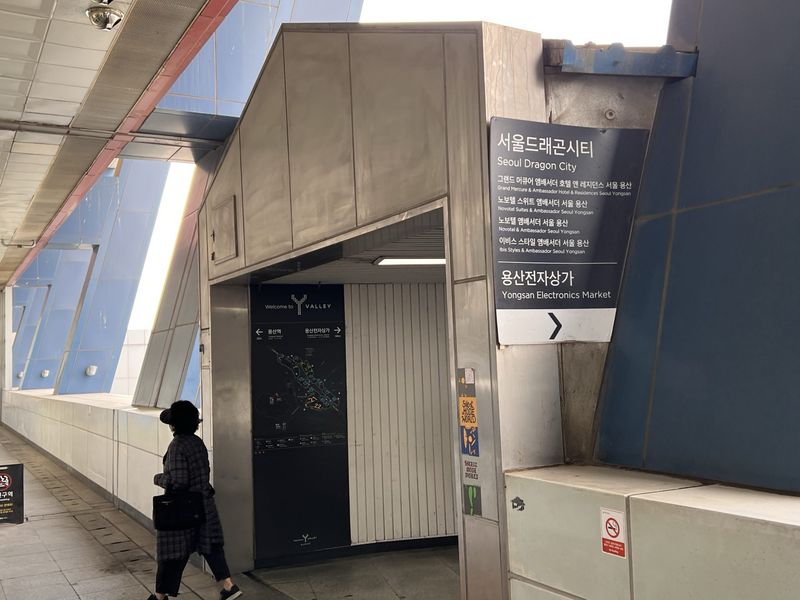
- 03
Walk through the overpass and you will see escalators at the end.
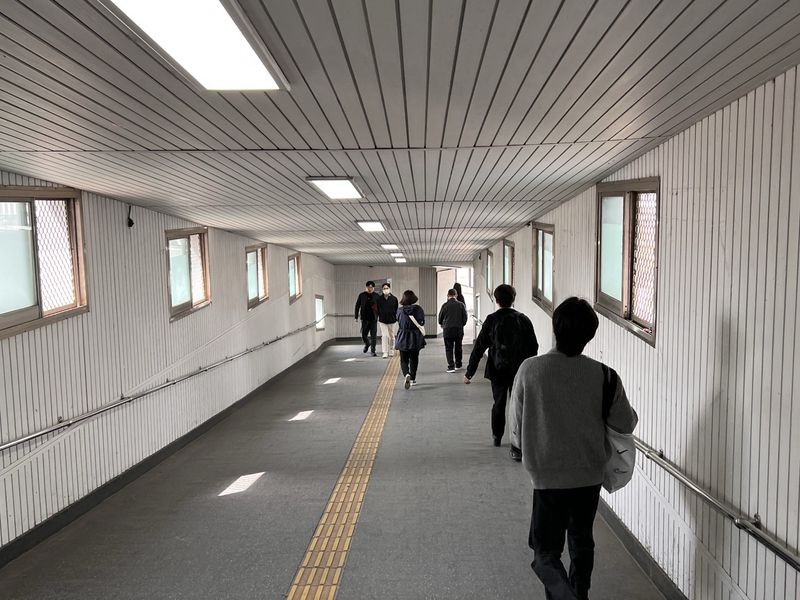
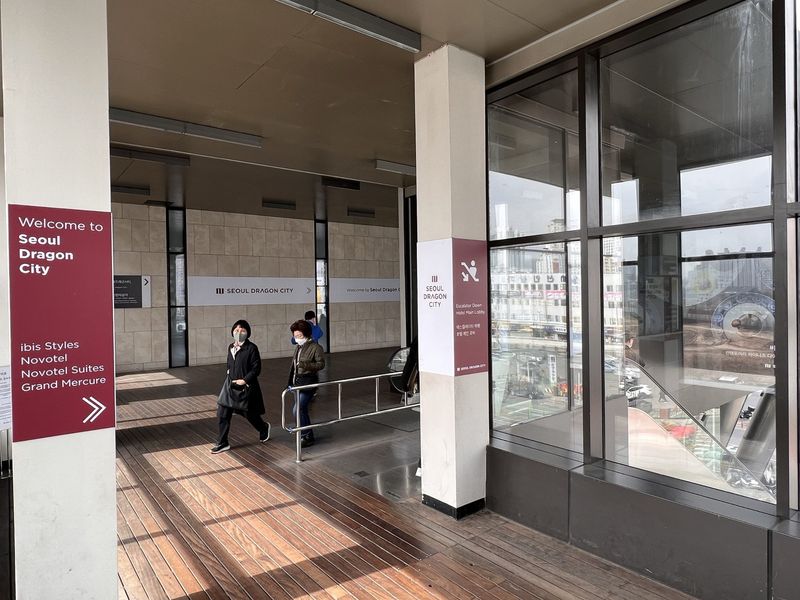
- 04
When you come across the sign for the Seoul Dragon City, head down the escalator on the right.
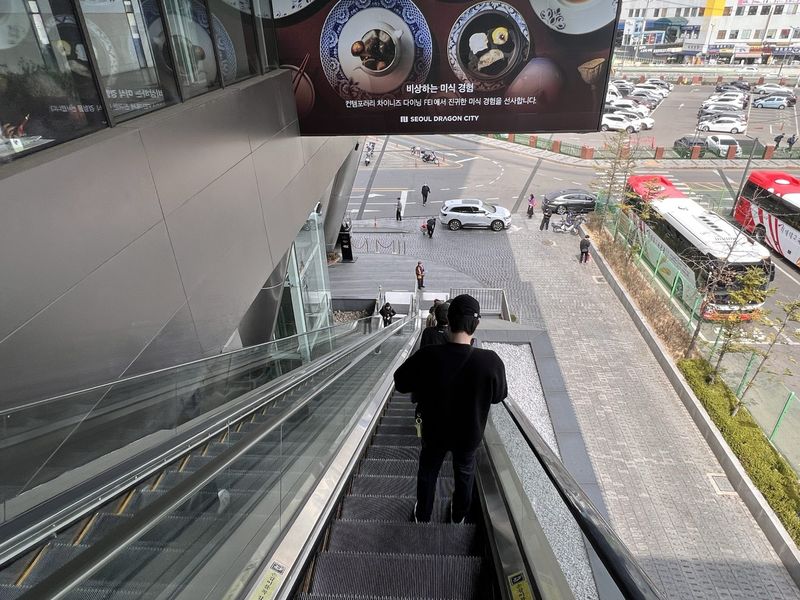
- 05
Once you go down the escalator, make a left.
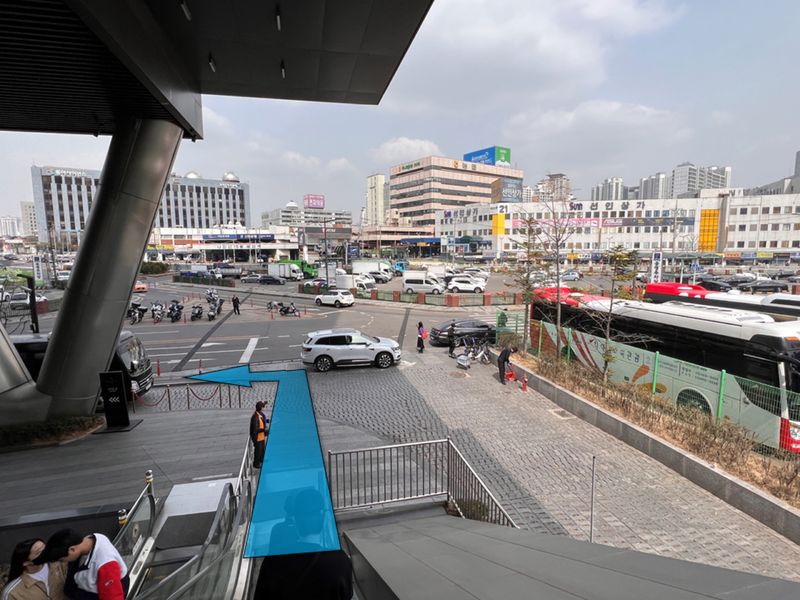
- 06
Walk straight and make your first right at the crosswalk.
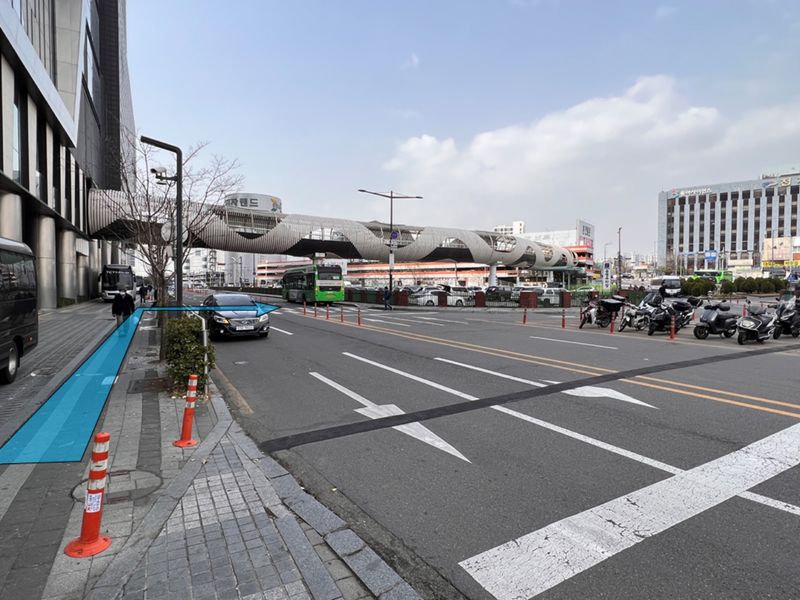
- 07
Cross the street and make a right while following the sidewalk.
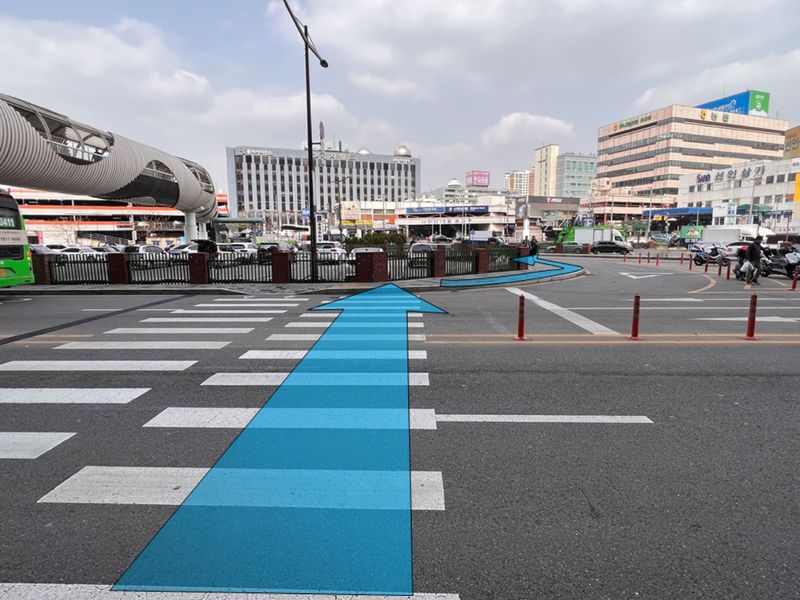
- 08
Walk straight until you hit the major intersection and make a right.
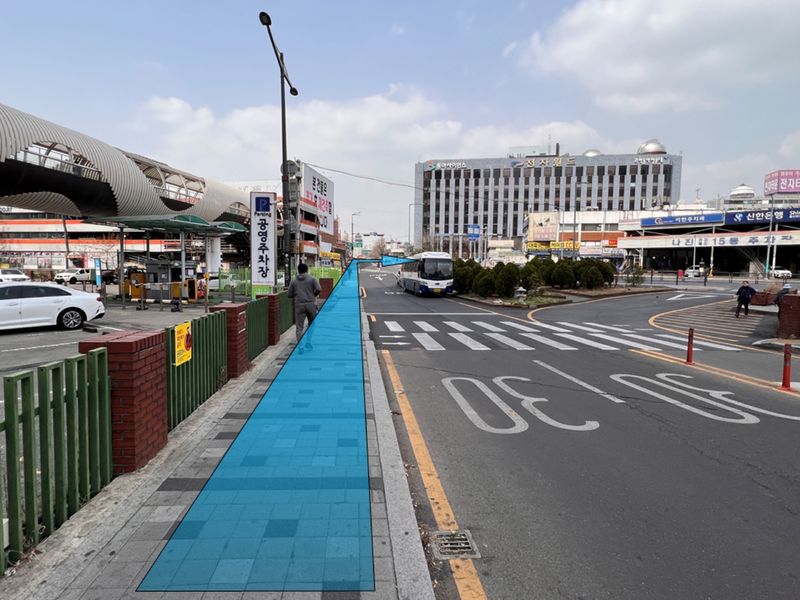
- 09
Cross the street and make a right following the sidewalk.
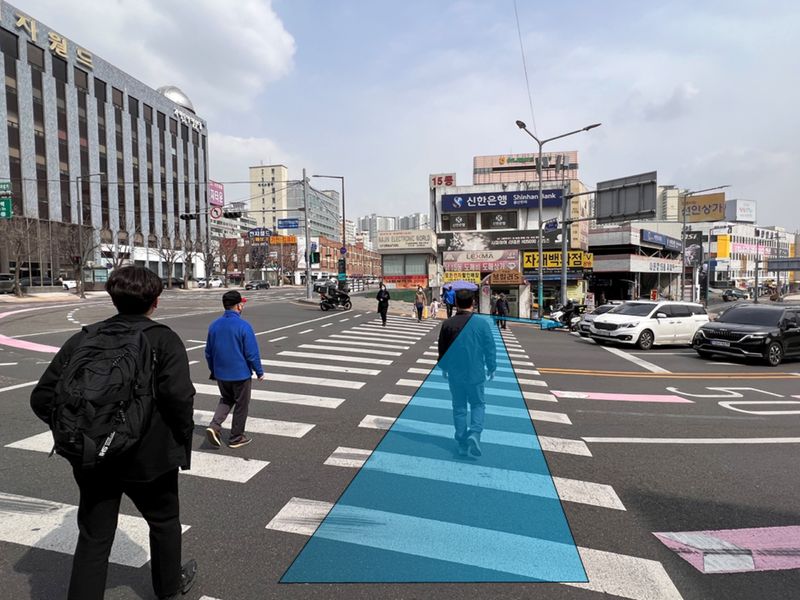
- 10
Walk straight ahead and you will pass by a small parking lot building on the lefthand side.
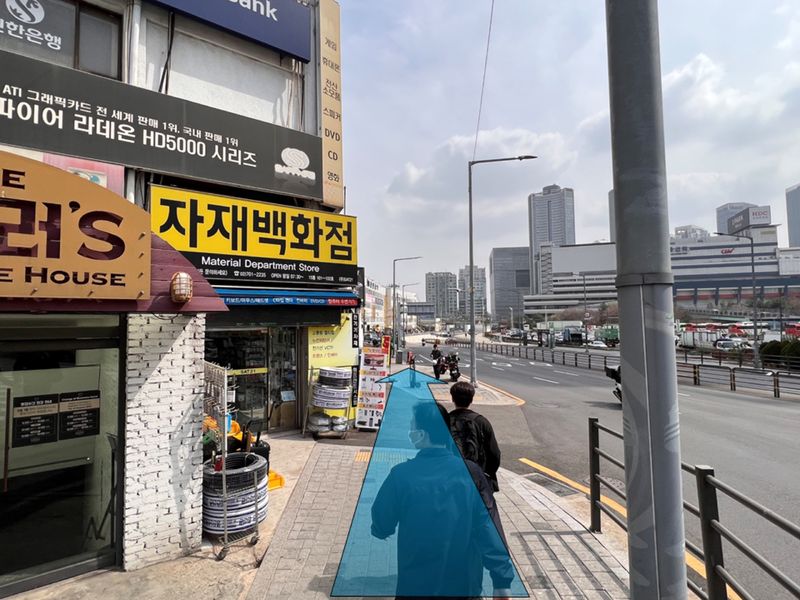
- 11
After passing the small parking lot building on the lefthand side, make a left.
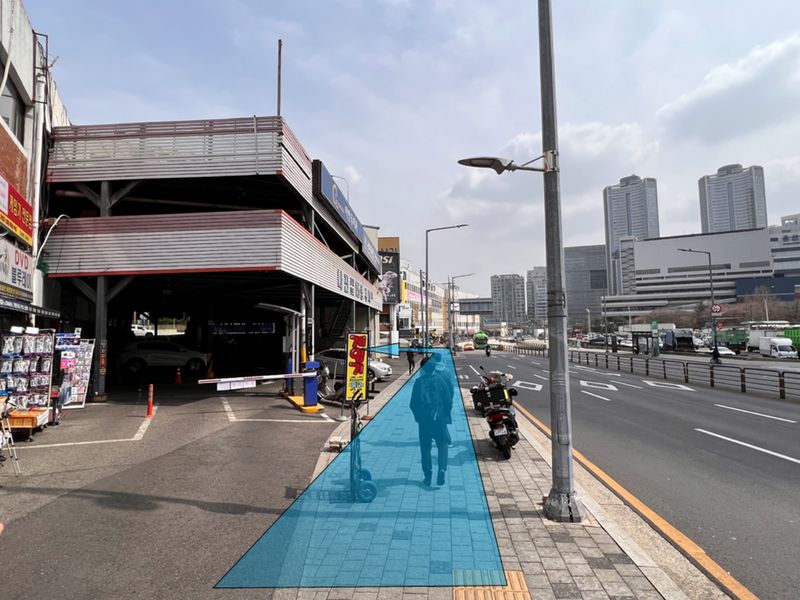
- 12
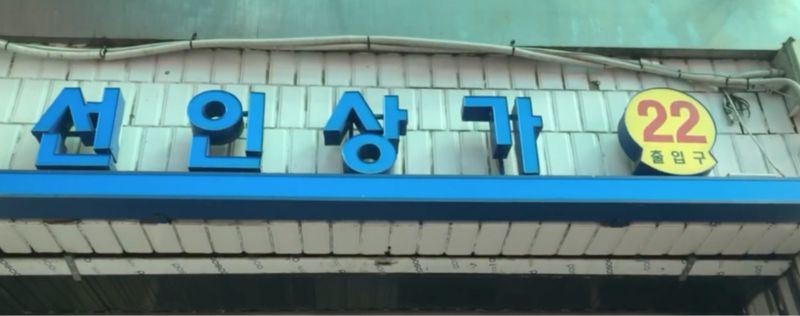
You will see the entrance to the Sunin Plaza building. You will see two entrances. Entrance #21 on the left and Entrance #22 on the right. For ease of comfort, you will want to take the #22 entrance.
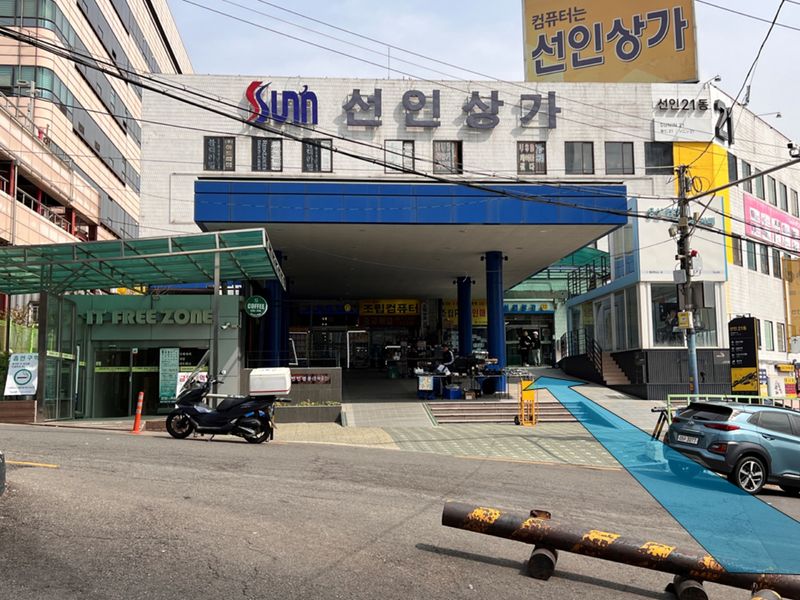
How to get to Sunin Plaza from Sinyongsan station
- 01
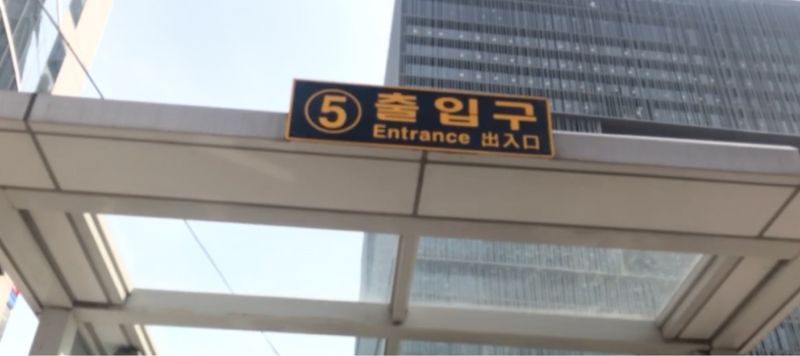
You will want to exit Sinyongsan Station via exit #5. Upon exiting the station, walk straight and you will see an underground tunnel. Walk through the tunnel and you will see Sunin Plaza on the righthand side.
How to get to Phil’s Computer Repository once entering the building
- 01
So you’ve made it successfully to the Sunin building in Yongsan Electronics market. Once arrived at the building enter entrance 22.
- 02
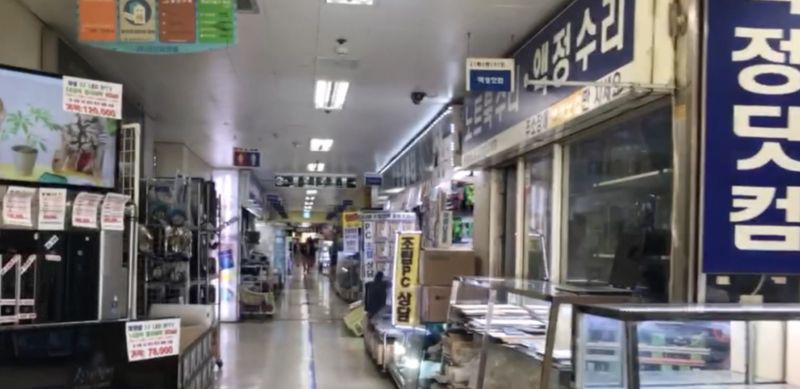
Once you enter entrance 22, you will see in front of you a hallway with only electronics shops. It will look something like this:
- 03
Keep walking straight until the end of the hallway. At the end of the hallways there will be a cafe. On your Left-hand side, there will be a staircase. Take the stairs up one floor.
- 04
When arriving at the next floor take a left and a left again. On the floor you will see a green circle with numbers on it and turn right onto the red line. From there, keep walking straight until you find Phil’s Computer Repository at #242.